
API integration into web app

Follow these steps to integrate Paylora API into your web app.
1

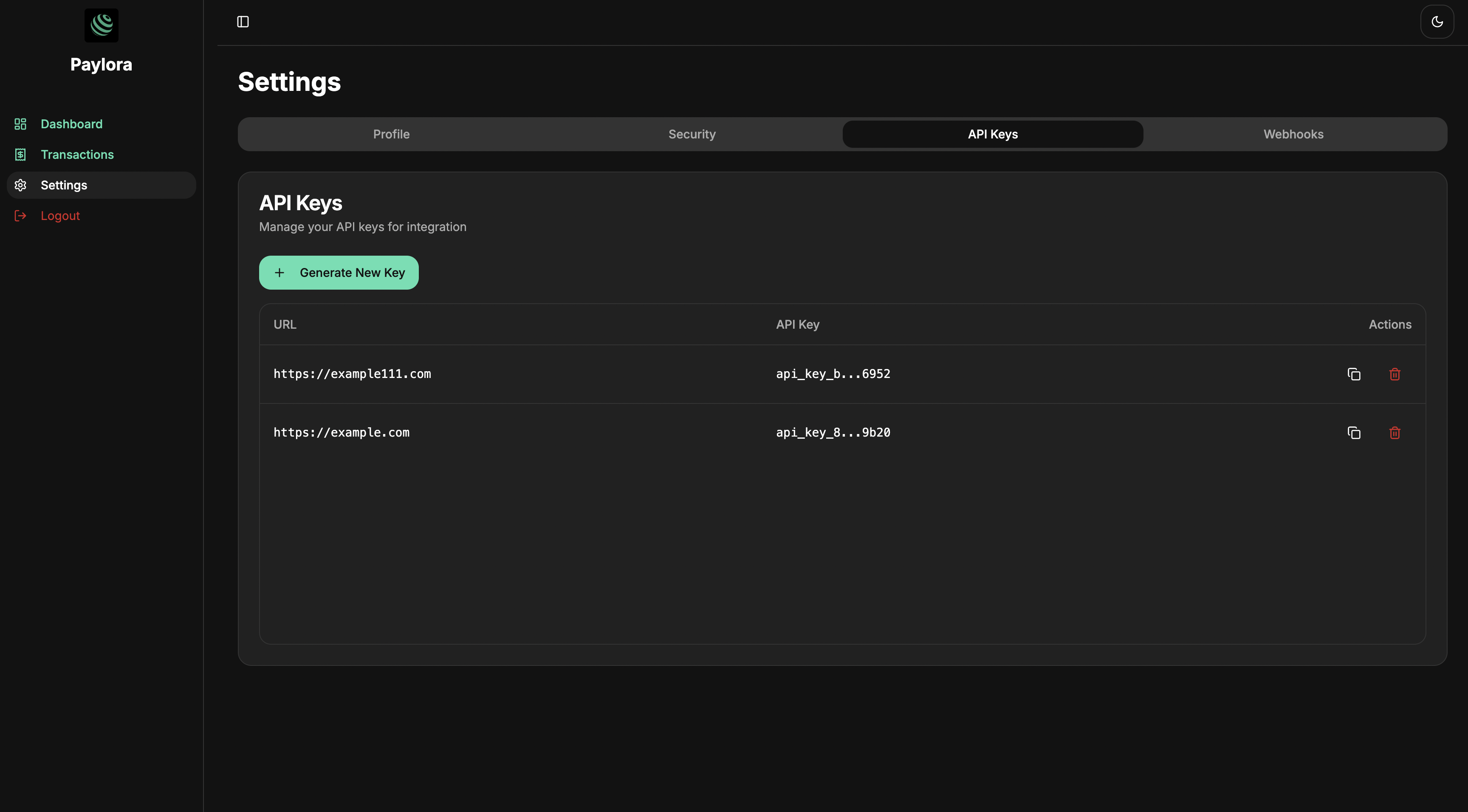
Generate API key

Click Generate New Key, and put url address of your website into field than click save
Screenshot of a api key creation page
2

Integrate invoice api into your web app

Use create invoice endpoint to add this as your button handlerFor get token list use get tokens endpointNetwork type is
export enum NetworkType {
  ARB_SEPOLIA = 'ARB_SEPOLIA',
  ETH_SEPOLIA = 'ETH_SEPOLIA',
  BASE_SEPOLIA = 'BASE_SEPOLIA'
}
React.js sample
export default function CreateInvoice(props) {
  const { amount, token_address, network } = props

  const createInvoice = async () => {
    const res = await fetch("https://api.paylora.org/api/v1/invoice/create", {
      method: "POST",
      headers: { 
        "Content-Type": "application/json", 
        "Autorization": "Bearer <API-KEY>" 
      },
      body: JSON.stringify({
        amount,
        token_address,
        network,
      }),
    });

    const data = await res.json();

    // redirect user to checkout
    window.open(data.url, '_blank');
  };

  return (
    <button onClick={createInvoice}>
      Pay
    </button>
  );
}

After click user will redirected into checkout page.
3

Checkout

Checkout page where user can connect wallet and pay. See crypto wallet guide
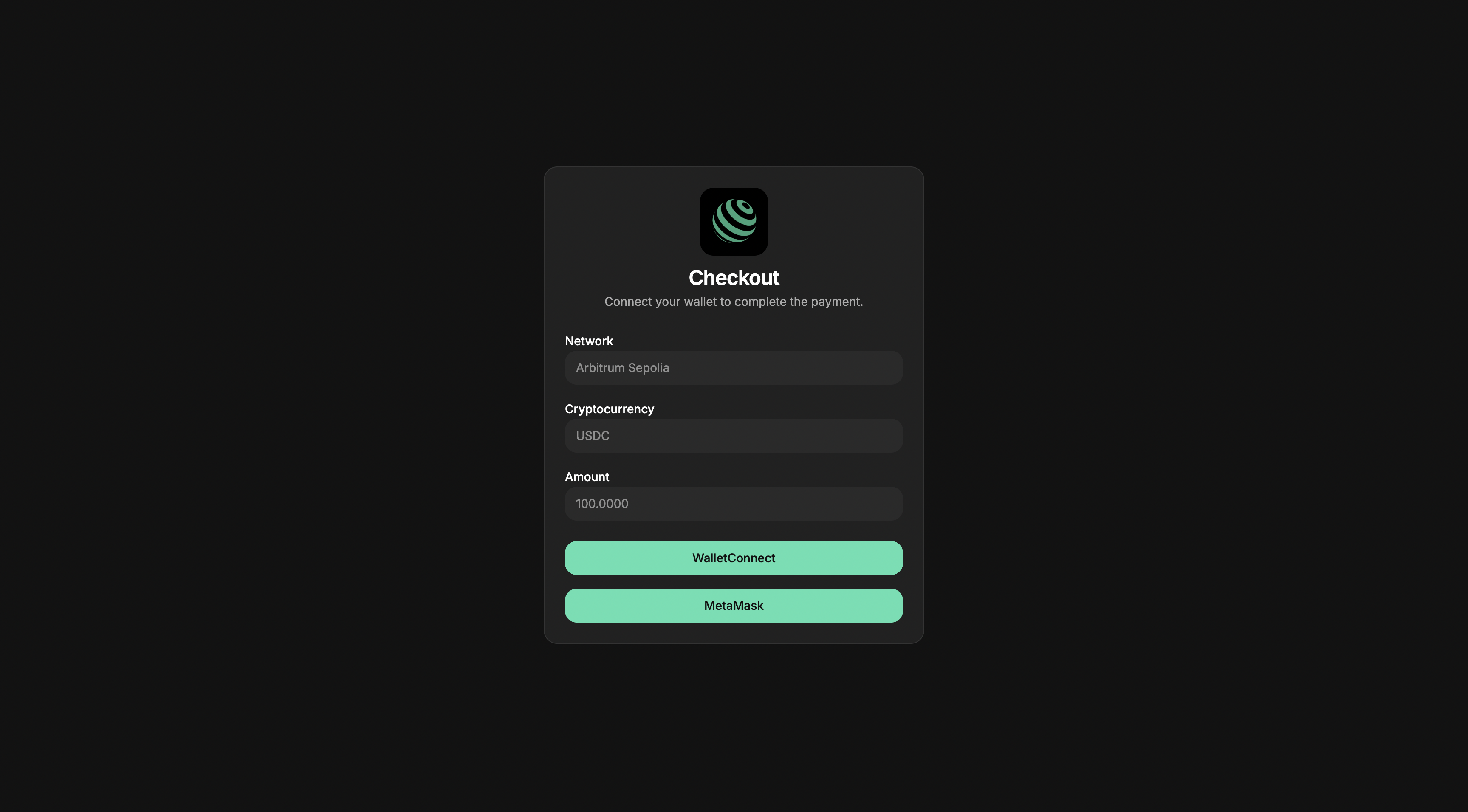
Screenshot of checkout page

Webhook integration

Webhooks allow your application to receive real-time events, such as when an invoice is paid. All webhook requests are signed to verify authenticity. Follow these steps to integrate Paylora webhook into your web app.
1

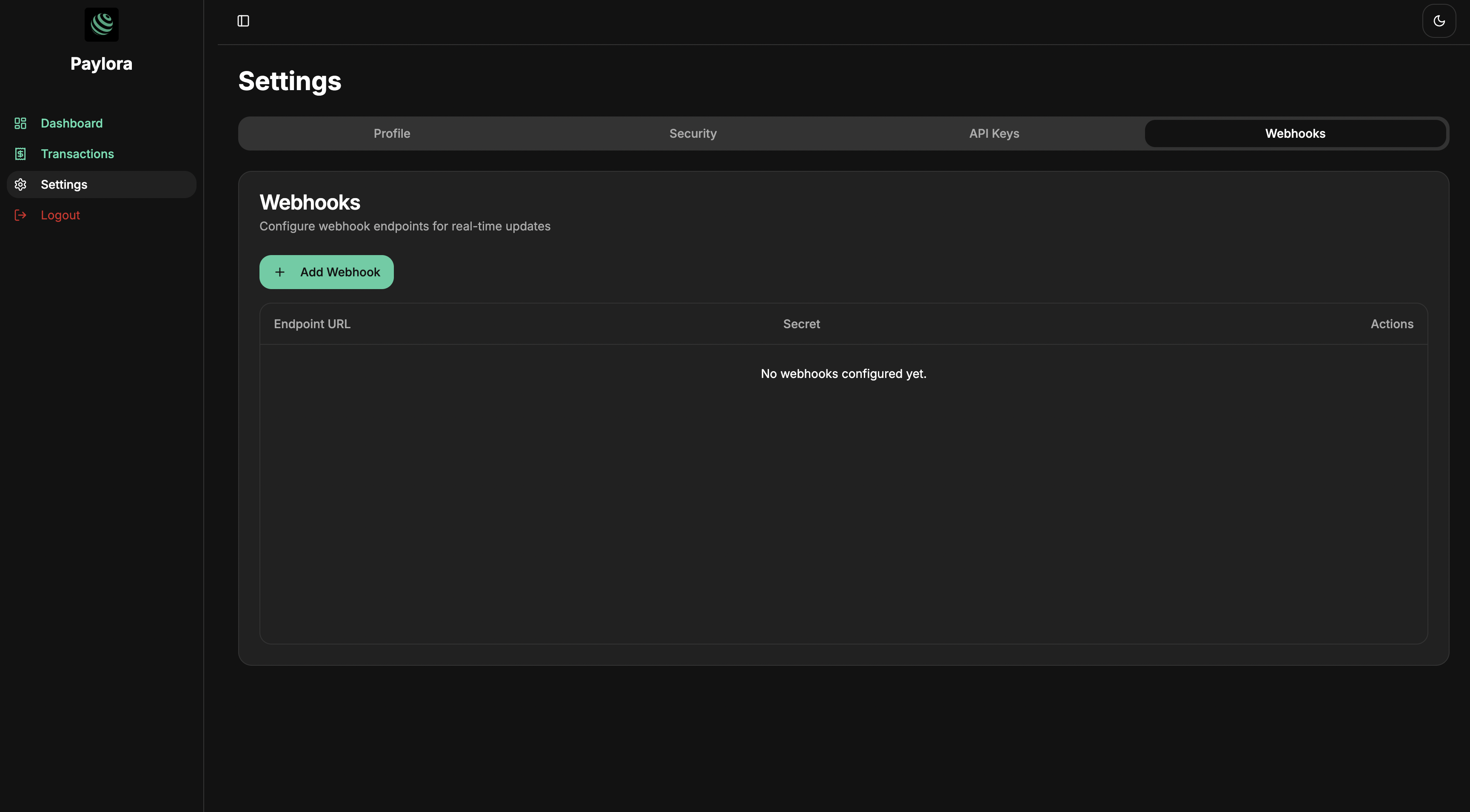
Generate webhook key

Click Add Webhook, and put endpoints url into field than click save
Screenshot of settings webhook page
2

Backend integration

Your server should expose an endpoint to receive webhook events.
// server.js or index.js
import express from 'express';
import crypto from 'crypto';

const app = express();
app.use(express.json());

const WEBHOOK_SECRET = process.env.WEBHOOK_SECRET || 'your_secret_here';

function verifySignature(bodyString, signature, secret) {
  const expected = crypto.createHmac('sha256', secret).update(bodyString).digest('hex');
  return signature === expected;
}

app.post('/webhook', (req, res) => {
  const signature = req.headers['x-paylora-signature'];
  const bodyString = JSON.stringify(req.body);

  if (!verifySignature(bodyString, signature, WEBHOOK_SECRET)) {
    return res.status(401).send('Invalid signature');
  }

  // Handle the event
  const { type, data } = req.body;

  if (type === 'invoice_paid') {
    console.log('Invoice paid:', data.invoice);
    console.log('Token:', data.token);
    // TODO: update your database or trigger business logic
  }

  res.status(200).send({ received: true });
});

app.listen(3000, () => {
  console.log('Webhook server listening on port 3000');
});

Important Notes
  • Verify the signature for every request. This prevents malicious requests.
  • Respond with 200 OK after successful handling.
  • Use HTTPS in production to secure the webhook URL.
  • Retry handling: If the request fails, the webhook sender may retry, so make your endpoint idempotent.
Example Event Body
{
  "success": true,
  "type": "invoice_paid",
  "data": {
    "invoice": {
      "uuid": "a1b2c3d4-e5f6-7890-1234-567890abcdef",
      "user_uuid": "a1b2c3d4-e5f6-7890-1234-567890abcdef",
      "status": "paid",
      "amount": 100,
      "fee_amount": 5,
      "token_address": "0xAbC123...",
      "contract_address": "0xDeF456...",
      "network": "ARB_SEPOLIA",
      "client": "0xDeF456...",
      "hash": "0xHash123...",
      "message_id": "12345",
      "channel_uuid": "12345",
      "customer_id": "123456789",
      "chain_id": 11155111,
    },
    "token": {
      "uuid": "<string>",
      "name": "<string>",
      "address": "<string>",
      "network": "ARB_SEPOLIA",
      "decimals": 18,
      "status": "whitelisted"
    }
  }
}